Canvas
The infinite document where pages, components and media are drawn, arranged and published from.

In Builder Studio
Every page of a site is an artboard on a canvas. You arrange it, give it views for tablet and phone, bind it to design tokens and CMS collections, and publish it; the published page is the one you arranged.
Pages share the canvas with frames, which hold parts of a design and never publish, and with the workflow around them: briefs, notes and the images, video and audio you generate, all of which stay off the site.
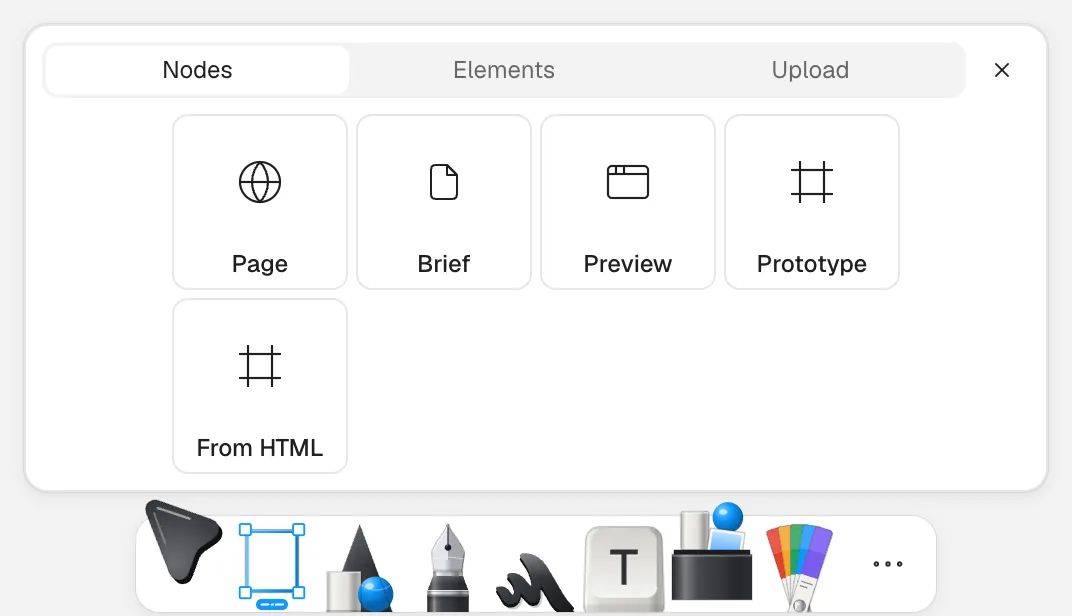
Add, in the toolbar, places a page, a brief or a prototype. The Pages list in the sidebar shows each page with its path and whether it is published yet, and Share, at the top right, publishes the pages as one site.
People and agents work on the same canvas: Builder inside the product, and agents such as Claude Code over MCP.
Start on a canvas
Arrange a page, then publish it on a builder.website address.
Related
- Canvas: design the page that shipsPages, components and media in one document.
- Publish a site from your canvasFrom a page on the canvas to a live builder.website address.
- Published siteA live website compiled from the pages of one canvas and served on a builder.website subdomain or your own domain. Each publish is kept as a version you can return to.